Take Cabane with you on your phone!
A joystick under your thumb, gestures to place and break, and an icon on your home screen: Cabane plays by touch, in landscape.
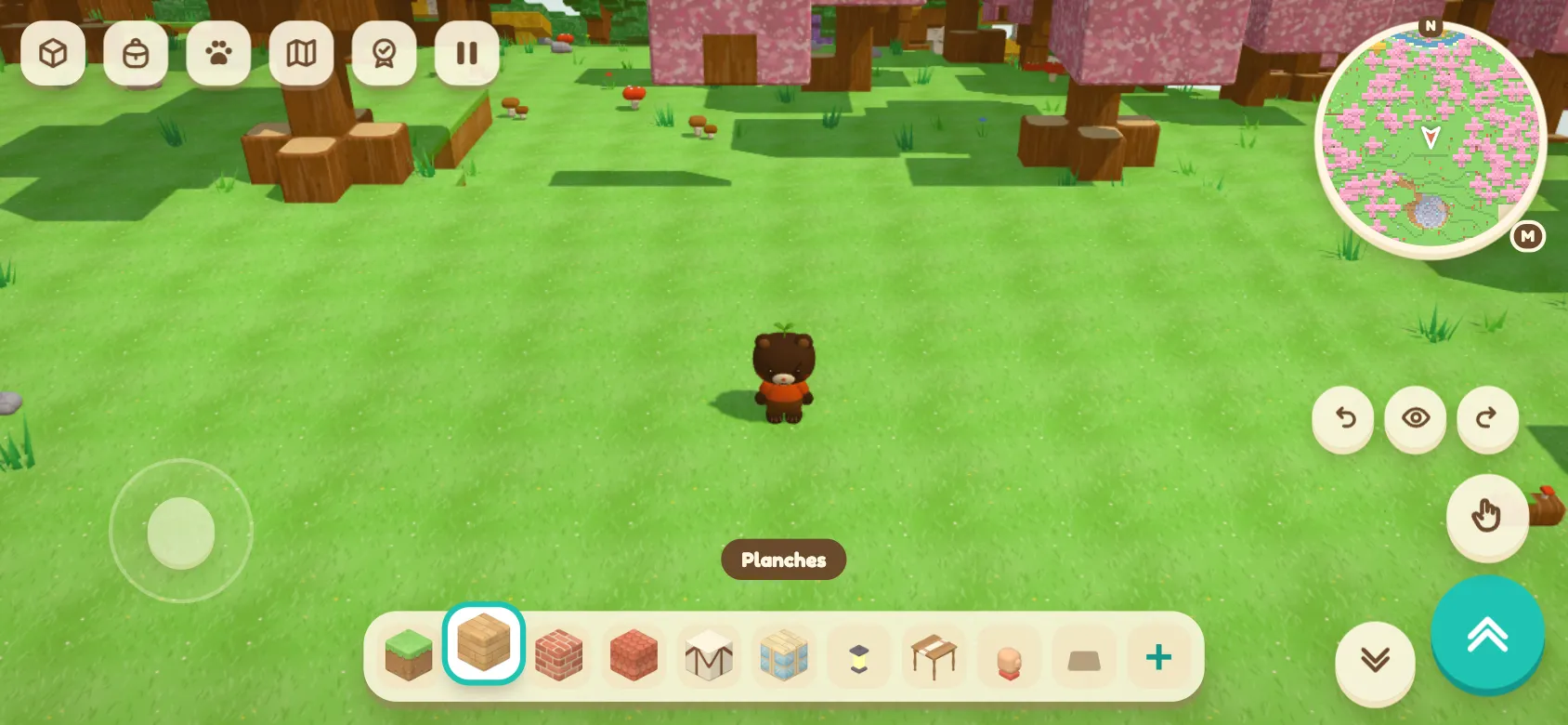
To play Cabane on your phone, open the game in your browser and turn the screen sideways. If you hold the phone upright, Cabane asks you to rotate it. In landscape there is room for both thumbs, with the world in between.
Put your thumb down and set off
The joystick appears under your left thumb, exactly where it touches the screen. Put your finger wherever feels comfortable, and walk.
Your other finger acts on the world. A quick tap places or uses the item in your hand. A long press breaks a block or strikes. The item bar stays visible so you can choose what your character is holding.
Buttons round it all off, to jump, go down or turn the view.
Aim with your fingertip
In the top-down view, tap a spot and the action happens there. In first person, the centre of the screen does the aiming, and sliding your finger lets you look around.
Cabane can tell a quick tap from a press that lasts and from a finger starting to slide. A tiny wobble of your finger does not switch gestures yet: your long press stays a long press.
Build from the catalogue
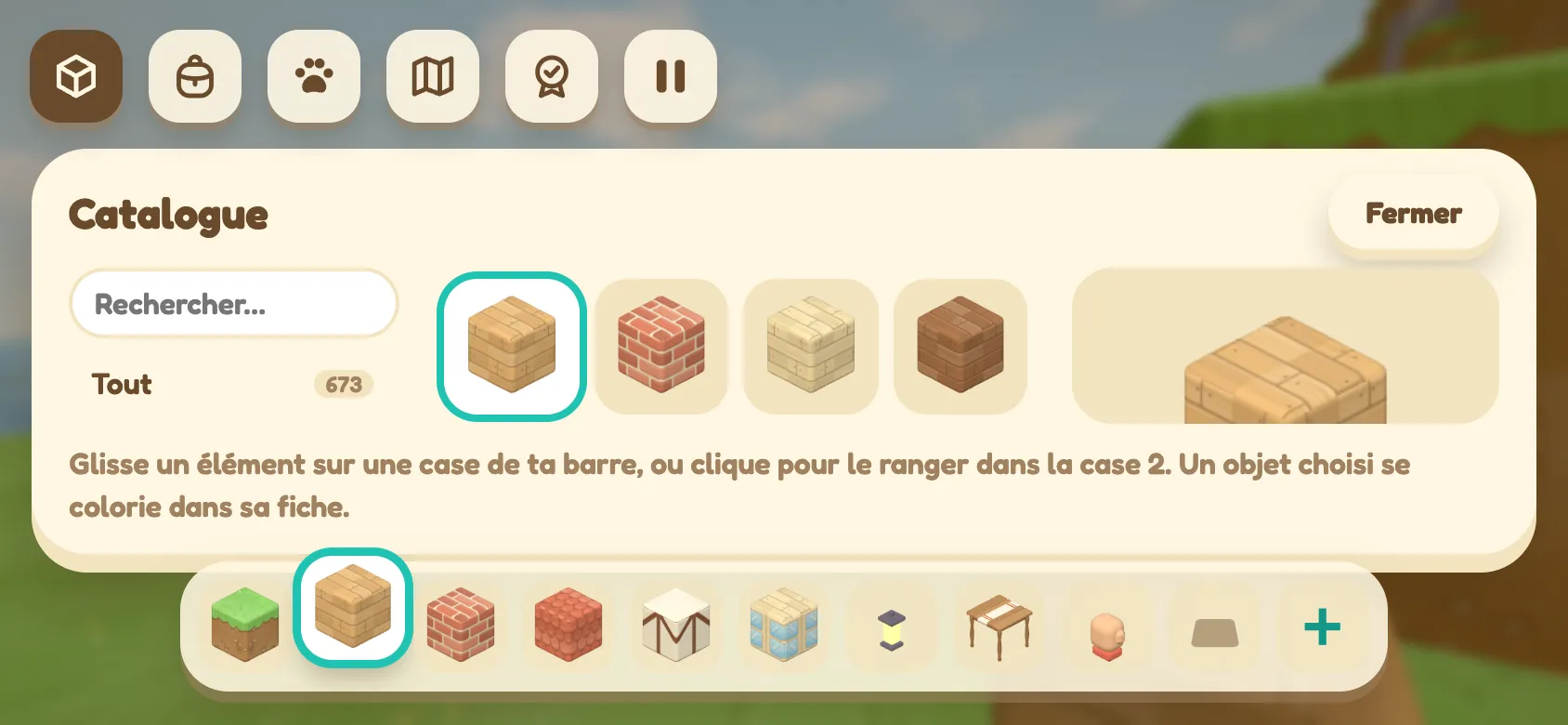
Even on a wide, short screen, the catalogue keeps its search, its items and their preview, with the selection bar within thumb’s reach. The bag and the map open in landscape too.
Add Cabane to your home screen
If your browser offers it, install Cabane like an app. An icon lands on your home screen, and the game opens in its own window, depending on what your device allows.
Keep a connection handy: even once installed, Cabane loads its files from the internet each time it starts.
Open game.playcabane.com on your phone to give it a go. The earlier entries are all waiting in the Cabane devblog.