Cabane water wheel: moving water and power
Where should you place a water wheel in Cabane? Compare waterfalls, rivers and still water, then connect a lamp to your first power setup.
The Cabane water wheel generates electricity when the water touching it is moving. A waterfall gives it maximum power, while a river supplies a steady current. A wheel in a still pond stays stopped.
Which water turns the wheel?
A wheel produces up to 20 W. The game uses the strongest water movement touching either of the two blocks it occupies vertically.
| Water touching the wheel | Power | Share of maximum |
|---|---|---|
| Waterfall | 20 W | 100% |
| River current | 15 W | 75% |
| Water spreading as it flows | 10 W | 50% |
| Still water, lake or sea | 0 W | 0% |
| Dry wheel | 0 W | 0% |
Pouring water onto flat ground can create a still source. To make a waterfall, let the water drop from a higher point. It must touch the wheel: a waterfall beside the building is not enough if a block separates them.
Put a wheel in a river
Place the wheel beside the river, with its lower part in the water, then watch the paddles and gauge. A natural river current provides 15 W. The gauge identifies the type of water it detects, helping you distinguish a river from a still body of water.
For 20 W, arrange a water inlet above or against the wheel. Let the falling water reach it directly and leave a basin or channel for the water at the base of the installation.
Light a lamp
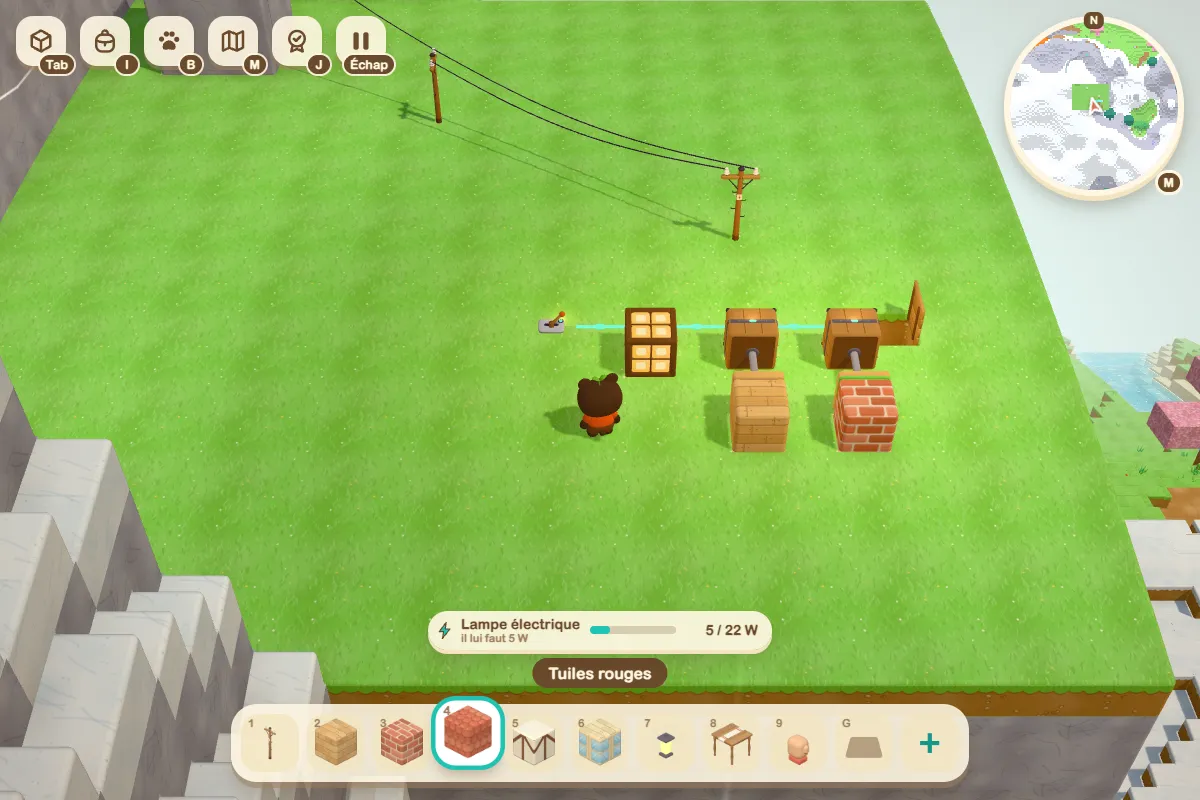
Place an electric lamp near the wheel. A generator supplies nearby devices; poles extend the network. The visible wire between poles shows their connection.
Add a lever and connect it to the lamp with control wire. The wheel supplies the energy, then the lever tells the lamp to turn on. A lamp needs 5 W, so a river wheel can power this first setup.
The wheel turns, but the lamp stays off
First check that the lamp is within the powered area. Then check the lever position and the continuity of the control wire. Finally, look at the other devices connected to the network: they also use some of the available power.
Creative mode lets you try this setup with objects from the catalogue. If you are starting a game, the getting started guide explains the choice between creative and survival modes.